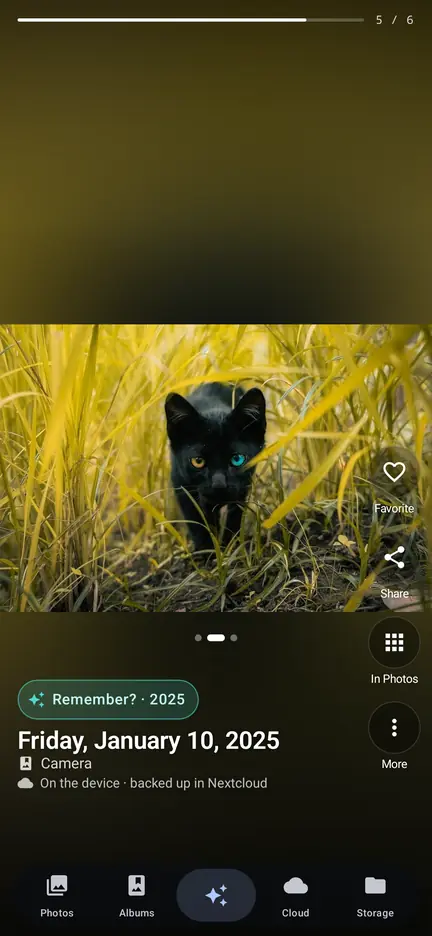
The Memories tab shows a new reel every day: photos and short videos taken around this day in earlier years, the most recent year first. Swipe up for the next memory, down to go back.

Which pictures appear
Memories uses pictures that are in a cloud – backed up from your phone, or only in the cloud – and the photos of your phone's camera folder as long as no cloud account backs that folder up (then only what is backed up counts, like everything else in the cloud). Without any cloud account, Memories is made from the camera folder alone. Other pictures that are only on the phone (screenshots, downloads, chats that were never backed up) never appear. A picture has to be at least a year old.
Each memory has a chip at the bottom left:
Today 3 years ago– taken on this very day.Around this time 3 years ago– a few days before or after.From the archive · 7 years ago– on a day with nothing around this date, a moment from any earlier year that was never shown before.Remember, 10 years ago?(turquoise) – a random moment: any day of an earlier year, not around today's date.
Below the chip: the date and the album the picture is in.
A new reel every day
The reel is put together once a day and stays the same for that day – leaving the tab and coming back takes you to where you were. What you have looked at does not come back for a year, and one trip shows on one day as one card, not on every day around it. So the years and events change from day to day.
After the day's memories come the random moments (Remember, … years ago?): moments from any day, in random order, at least five years old when your pictures go back that far, otherwise at least one year. You set how many in the settings.
At the end of the reel, All caught up for today says how many memories from how many years you have seen. Back to start goes to the first one again; tomorrow there is a new reel.
More of this day
When you took more pictures that day after a memory's picture, its card shows +5 more and dots under the picture, one for each picture. Swipe left to leaf through the pictures after it – forwards in time, only from that day and from the same cloud as the first picture – and right to go back. The date, the chip and the actions stay where they are – only the picture changes. Swipe up from any of them to continue the reel.
Videos
A video plays muted, its first 8 seconds in a loop. Tap it to pause or resume, or press and hold to pause while you hold. The speaker at the bottom right switches the sound on or off; the choice holds until you close the app. Whole video in the More menu opens the full video in the viewer.
Cloud videos also play over mobile data. To keep them to Wi-Fi, switch off Cloud videos on mobile data (see below); the card then shows the still image, and a tap plays it.
Actions
The column on the right always works on the picture on screen:
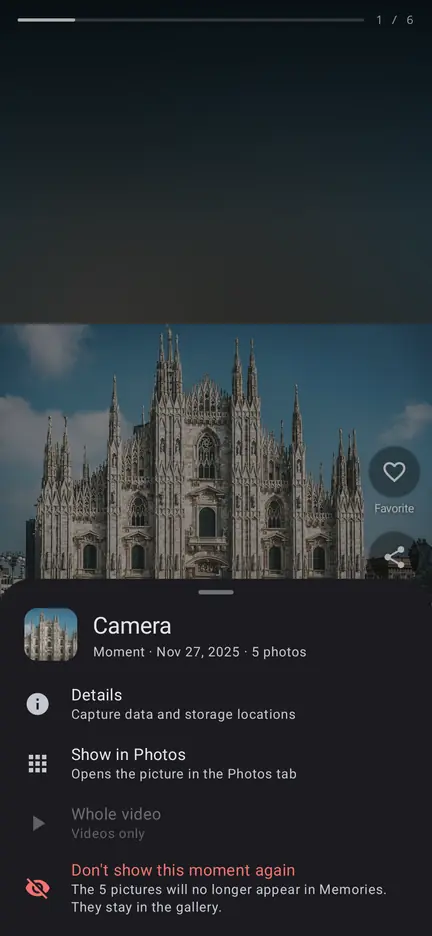
Favorite– marks the picture as a favorite.Share– as in the viewer.In Photos– opens the picture in the Photos tab.More–Details,Show in Photos,Whole videoandDon't show this moment again.
A double tap on the picture zooms in; pinch to zoom further and drag with one finger to move around. Back or another double tap zooms out. A single tap on a photo does nothing, so the reel is never interrupted.
Don't show this moment again hides the whole moment – every picture of it – from Memories for good. The pictures stay in the gallery. Undo in the message at the bottom brings it back at once; later, Hidden moments in the settings does.
More menu.Settings
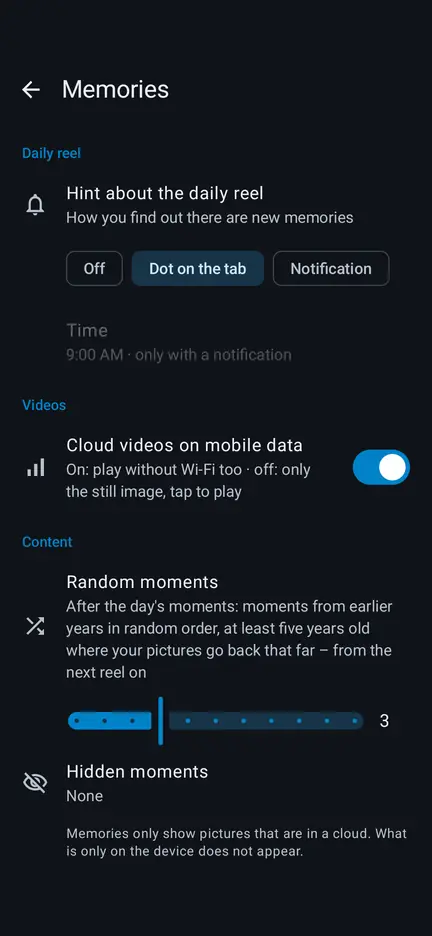
In Settings (⋮ menu) under Photos & cloud, Memories has:
Hint about the daily reel–Off,Dot on the tab(a small dot on the tab while today's reel has memories you have not seen) orNotification(the default) – a notification at the chosenTime(default 09:00) when there is something new. If you have not allowed notifications, the dot on the tab appears instead.Cloud videos on mobile data– on by default.Random moments– how many random moments follow the day's (0 to 10, 3 by default). A change applies from the next reel.Hidden moments– how many you have hidden;Show allbrings them back.
Under General, Start tab chooses which tab the app opens with – Memories too.