The Storage tab shows how much space your photos take on the phone, and how much of it you can free without losing a single picture.
The overview
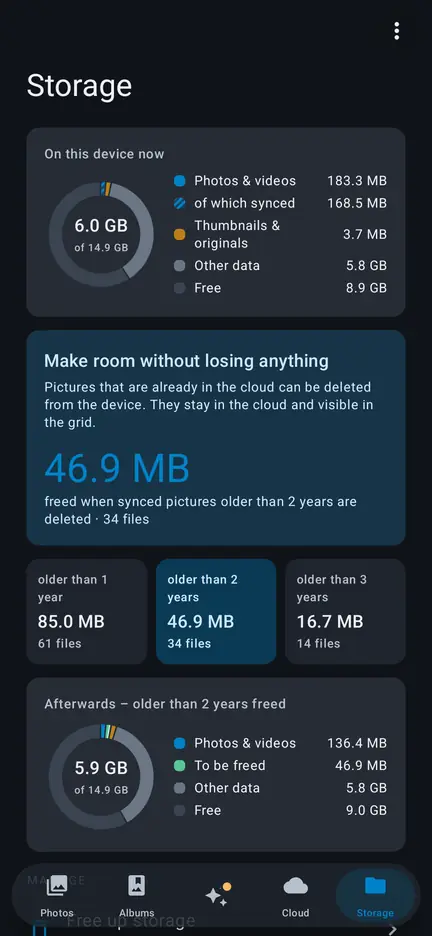
At the top: the phone's storage, split into Photos & videos, how much of that is already backed up, the thumbnails and originals Next Gallery keeps, other data and free space.
Below, Make room without losing anything: how much you would gain by deleting backed-up pictures older than one, two or three years from the phone. They stay in the cloud and stay visible in the grid.
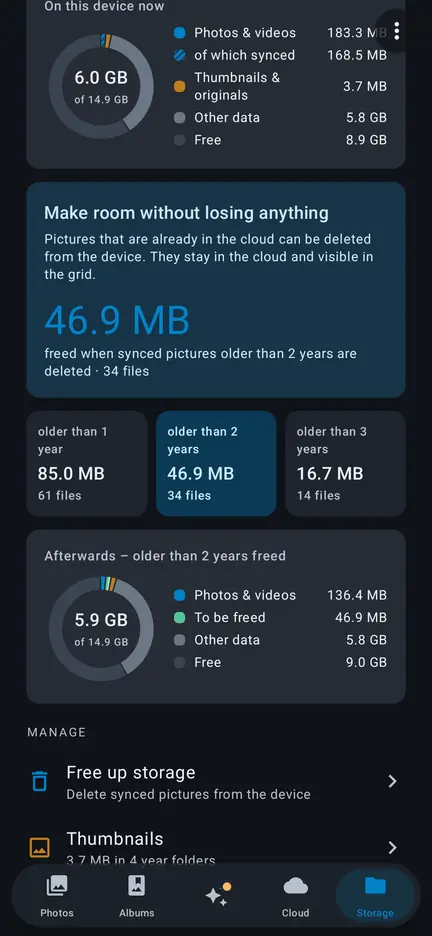
Manage section further down.Free up storage
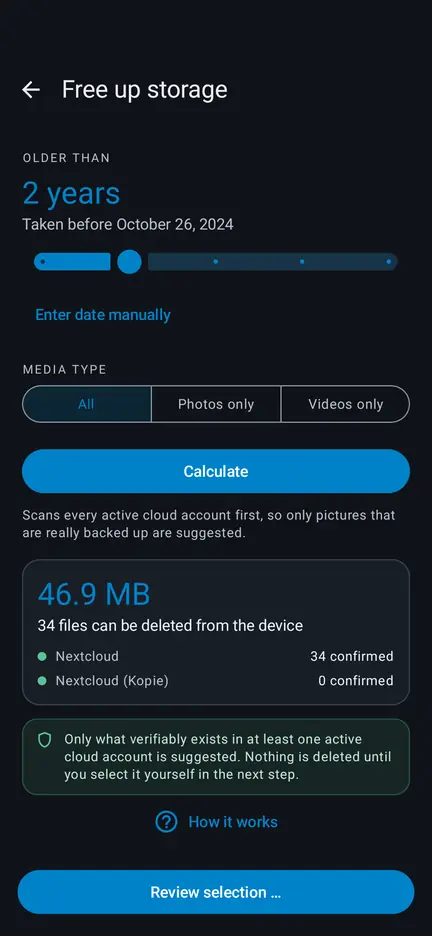
Free up storage lets you choose how old the pictures should be and whether photos, videos or both. Calculate first scans every active cloud account, so that only pictures verifiably present in the cloud are suggested.
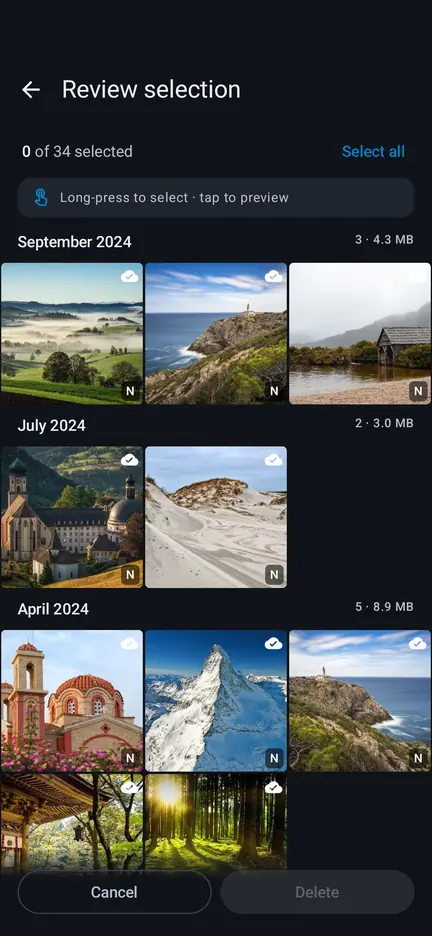
Review selection … then shows those pictures. Nothing is selected yet: choose single pictures or Select all, then delete. Android asks once more before anything is removed.
Thumbnails and originals
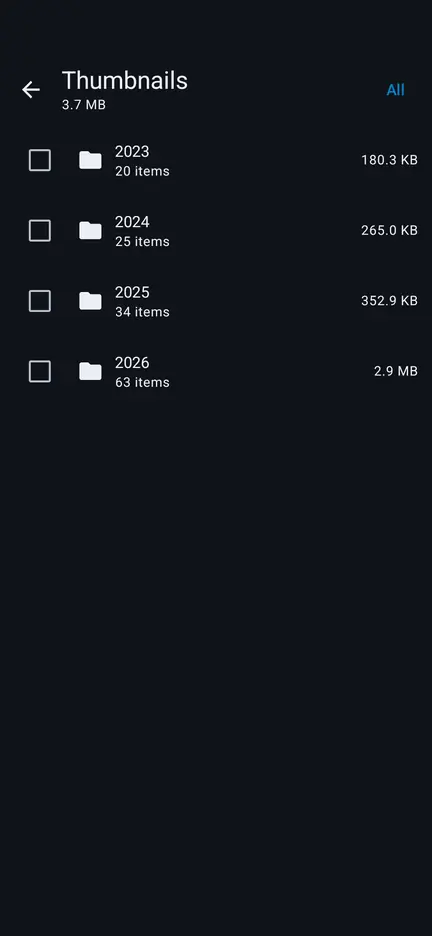
To show cloud photos quickly, Next Gallery keeps small thumbnails on the phone, and the originals you loaded by zooming in, editing or sharing. Thumbnails in the Manage section lists them by year; you can delete a year or everything – they are loaded again when needed.
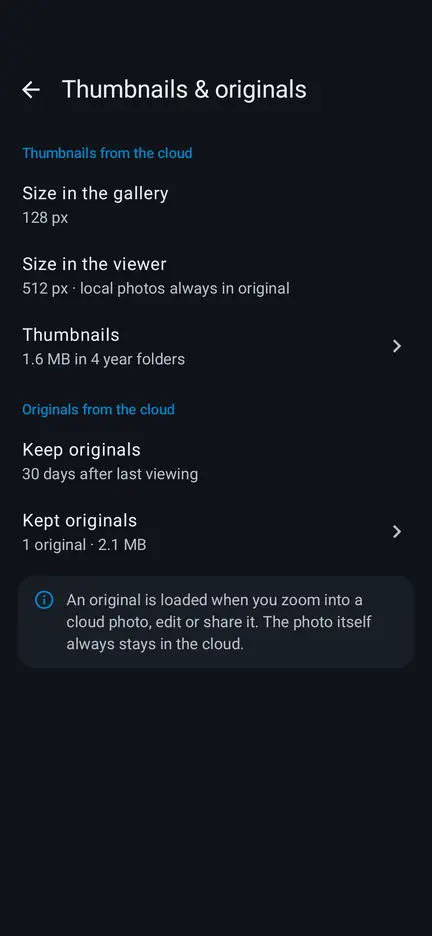
In Settings (⋮ menu) under Thumbnails & originals:
Size in the galleryandSize in the viewer– larger is sharper, smaller is faster and takes less space.Keep originals– how long a loaded original stays after you last looked at it:Never(only while the viewer is open), 7, 30 or 90 days, orAlways. The photo itself always stays in the cloud.Simultaneous downloadsunderTransfers– how many thumbnails are loaded at the same time.